360Learning headquartered in Paris offers their workforce training learning management system.
$8
per month per user
Bridge Learning Platform
Score7.4 out of 10
Mid-Size Companies (51-1,000 employees)
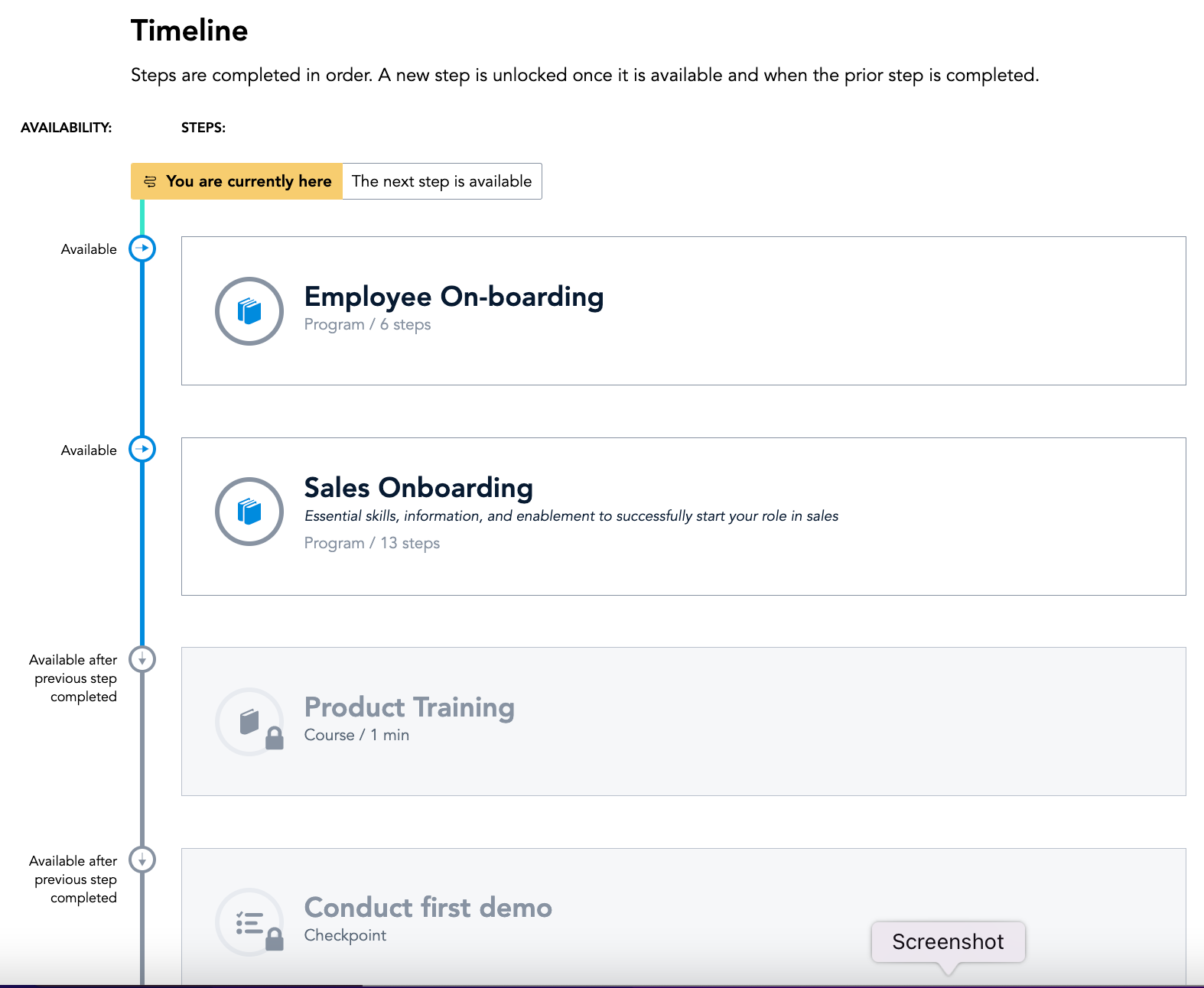
Bridge is an integrated talent management platform that combines learning management, performance management, career development, and engagement measurement into one platform. Bridge enables companies to develop their people with live, virtual, on-demand and experience based training, manager/employees 1:1s, and career development plans. Used by more than 1000 companies worldwide, Bridge helps companies achieve their strategic people development goals by facilitating connection, alignment, and…
360Learning is an ideal choice for organizations looking to decentralize their learning and development initiatives and engage internal experts. With its user-friendly course builder, the platform enables us to easily train employees throughout the organization. The Champion Solution serves as a powerful project management tool, ensuring collaboration and alignment with SMEs to create top-notch content. The transparency in 360Learning's roadmap and the excellent support from the customer success team further enhance the overall experience. By choosing 360Learning, organizations can unlock the potential of their internal experts and revolutionize their learning and development processes
Bridge is suited for scenarios where you need ppl to complete steps in order or test that they received the correct amount of knowledge after watching a video. I do think Bridge is less appropriate for companies that use it in external training scenarios as there is some key functionality missing. We gotten very good at brainstorming and finding solutions/ways to get Bridge to work the way that we need it to
A de minimis incentive was given to thank the reviewer for their time. The incentive was not used to bias or drive a particular response, nor was the incentive contingent on a positive endorsement. More Info
Bridge is designed for the user so it is intuitive and easy to use.
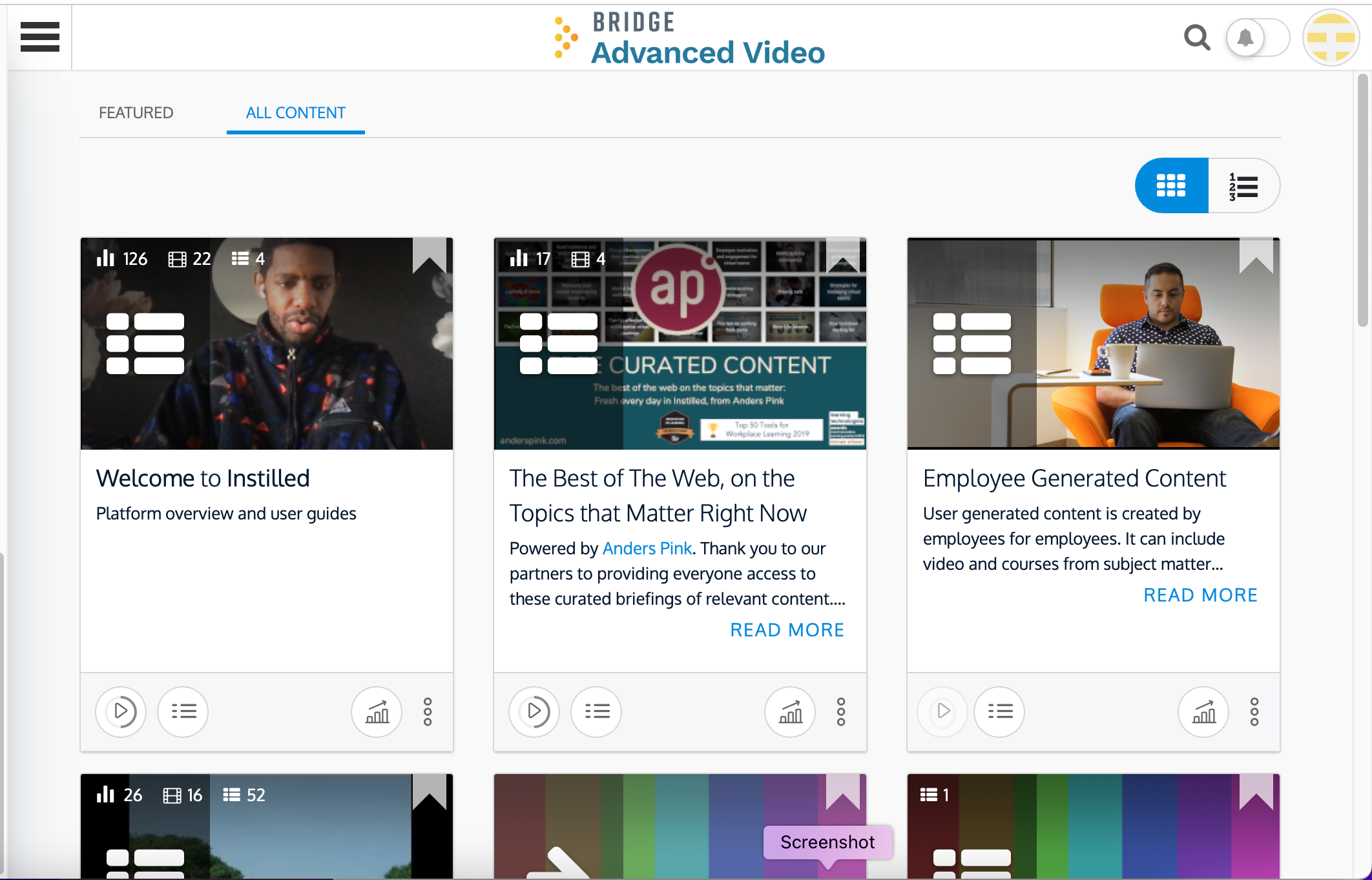
Bridge includes an authoring tool so building custom content is fast and easy.
Bridge does a good job of providing user information for managers. Managers can quickly and easily see how many courses their reports are enrolled in and if anyone is overdue on required courses.
Bridge is also built with learning science in mind. There are multiple options for assessments, including an option for verified tasks to be completed to demonstrate proficiency.
A de minimis incentive was given to thank the reviewer for their time. The incentive was not used to bias or drive a particular response, nor was the incentive contingent on a positive endorsement. More Info
Sometimes the platform isn't as intuitive as I'd like
Frequent updates that can impact the guidelines we establish for our internal employees
Catalog access for courses is linked to programs requiring participants to retake a program instead of just replaying a singular course. This is being addressed in a future update.
Bridge could improve their categorization feature for trainings; folders would be great!
I'd like to see more ways to add content in the Bridge native environment in the future. Being able to create tables, infographics, and other training materials right in the system would be a great time saver.
A de minimis incentive was given to thank the reviewer for their time. The incentive was not used to bias or drive a particular response, nor was the incentive contingent on a positive endorsement. More Info
It has been very useful to our organization in getting compliance training complete. We have a 24/7/365 organization with some folks only working 2 days a week during the summer only, many work full-time jobs elsewhere and can't make weekday programs and facilities don't have to alter schedules to get mass numbers of people through training like you have to do with live training..
A de minimis incentive was given to thank the reviewer for their time. The incentive was not used to bias or drive a particular response, nor was the incentive contingent on a positive endorsement. More Info
You don't really need to be trained to use it, it's like social media. If not, there's full documentation available, it's not a steep learning curve at all. There's lots of advice about how to better use the platform too. I don't see any need for improvement here but left a 9/10 JUST in case.
A de minimis incentive was given to thank the reviewer for their time. The incentive was not used to bias or drive a particular response, nor was the incentive contingent on a positive endorsement. More Info
A de minimis incentive was given to thank the reviewer for their time. The incentive was not used to bias or drive a particular response, nor was the incentive contingent on a positive endorsement. More Info
A de minimis incentive was given to thank the reviewer for their time. The incentive was not used to bias or drive a particular response, nor was the incentive contingent on a positive endorsement. More Info
A de minimis incentive was given to thank the reviewer for their time. The incentive was not used to bias or drive a particular response, nor was the incentive contingent on a positive endorsement. More Info
We had a lot of reasons for choosing to partner with PSA for our Learn 360 platform. The others were a much larger price, were not as easy to use, were not as feature-rich, and didn't have us plugged into so many relevant titles at any time. They also didn't seem as adaptable or have an AI component built in.
Our previous LMS was Symphony. Hands down, there is no comparison. Switching to Bridge was the best decision made by our management team. All we used Symphony for was for our monthly compliance training. Many times people would complain that they would need to retake their compliance course as Symphony would lose records. It became a hassle having to retake a course because you didn't save a copy of the completion certificate. Bridge allows for more than just compliance training AND we are able to see if learners didn't complete their courses via the reports.
A de minimis incentive was given to thank the reviewer for their time. The incentive was not used to bias or drive a particular response, nor was the incentive contingent on a positive endorsement. More Info
Certainly, Bridge was not an inexpensive option when we were reviewing platforms. To date, we have not seen a positive ROI but believe that will happen in the near future as we expand an offering of an additional program.
Reviews from our users indicate that they appreciate the professional and easy to use features Bridge provides, along with the video based design of the program.
The program we developed with the Bridge platform supports our position as educators in our industry.
A de minimis incentive was given to thank the reviewer for their time. The incentive was not used to bias or drive a particular response, nor was the incentive contingent on a positive endorsement. More Info